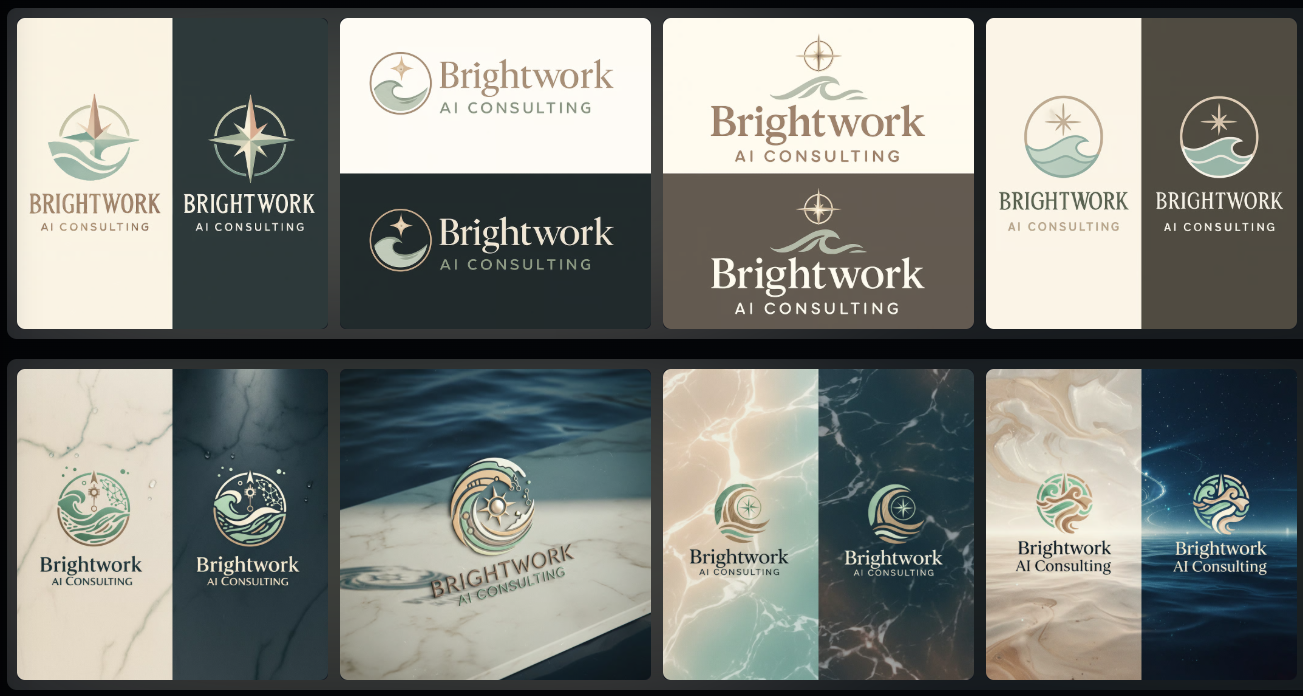
Just to start off, it has been my practice over the last two years to become an AI-first business. What that means is every single task that I take up or every question I have, I ask how AI can help me.
We’ve also created or worked over the last two years to build an excellent prompt framework that helps us get there faster. We also use AI tools and have a really diverse tool stack that helps us accomplish a lot faster.
I’ve been working on a project that is Brightwork AI and is geared towards helping small businesses like myself implement AI into their workflow. And their client experience on a daily basis without getting too crazy. I call it AI for Mainstreet.
Previously, I have built websites for my business over the years and I’ve had to think so hard and spend so much time writing copy it’s been unbelievable. Currently, I’m switching over to building this website on Wix and using as much AI as possible to make it happen.
I’m going to share with you a few steps that I’ve taken so far. If you’re a small business and just want to update your website or build a new one, I can’t even tell you how much easier it’s gotten over the years. This is something I’ll probably spend maybe 5-10 hours on, and previously I would have spent hundreds of hours on.
To start with, you can go to Wix or almost any website builder now and just look for the AI option to build or create your website. You can type in as much as you can think of, and it will create that website for you in seconds. You can then go in and edit it as much as you like. But again, this is where I bounce back and forth between Wix AI and also using ChatGPT.
For this project, the tech stack, or the list of applications that I’m using are Wix website editor, ChatGPT, wisprflow, so I don’t have to type (https://wisprflow.ai/r?JENNIFER251), Leonardo AI,Canva AI.
To create a logo in Leonardo AI, I go to ChatGPT where I’ve created a project that includes all of the information for BrightWork AI as a business. I’m training this projecton the business. So it understands all of the language, branding, goals, etc. And it’s able to then help me create a prompt for Leonardo AI to create the logo. Let’s see what happens.

Not super happy with this, so I went over to Canva AI and typed the same prompt in to this one. This is what I came up with.

I don’t think I could ever have come up with something as lovely as this.
Here is the prompt I used: Logo design for a company called ‘Brightwork AI Consulting’. Style should be clean, contemporary, and ocean-inspired with a touch of playfulness. Use a soft coastal color palette — warm sand beige, soft seafoam green, taupe, and creamy white. Include subtle oceanic elements like a wave, lighthouse, tide pattern, or compass rose. The design should feel modern and strategic, yet friendly and approachable. Use elegant, minimal fonts similar to Blair ITC or soft serif fonts. The logo should work well on light and dark backgrounds. Include a stylized monogram or icon for brand versatility.
I included a screenshot of the website, so it picked up the colors for the branding. Super easy!
Check out the website to see how it’s coming along. I’ll be working on it in the mornings and on the weekends. Sign up for the blog post because that’s where I’ll be teaching everything that I am learning.
https://www.brightworkai.design
Book a strategy session to review what you have going now and where you would like to move to in the future.
Leave a Reply